Create a Cart Ride Codes Not Working
Fast fixes when dHtmgEr, DogeCart, DRJCart, or ZotoronLikesEggs refuse to redeem.
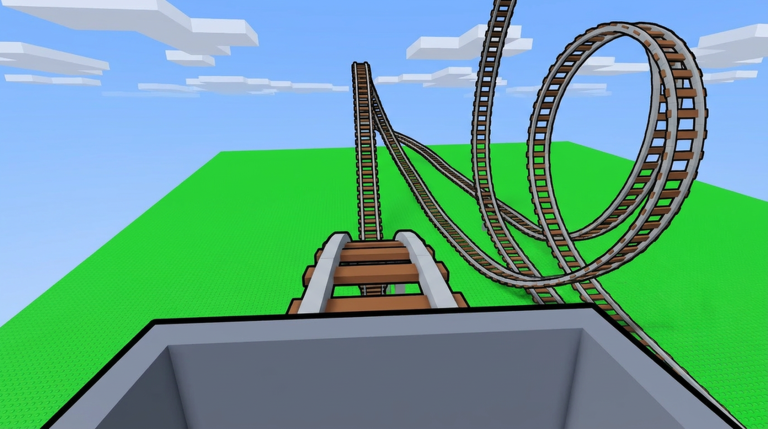
Most “broken” Create a Cart Ride codes are user-flow mistakes, not dead strings. Work through this checklist before you declare a code expired. Keep active codes and how to redeem open while you test.
Fix 1 — Select the cart that owns the code
Create a Cart Ride does not always use a single global codes box. Open Shop → Carts, select the reward cart (Discord Cart, Doge Cart, The Rock Cart, Egg-Mobile, and similar), then press Redeem on that card. Typing a valid string on the wrong cart looks identical to an expired code.
Fix 2 — Match capitalisation exactly
Community lists show mixed case on purpose: dHtmgEr, DRJCart, ZotoronLikesEggs, DogeCart. Uppercasing everything to DOGECART may fail even when the mixed-case string still works. Paste from the active codes table instead of retyping from memory.
Fix 3 — Confirm the code is still listed as working
As of the August 2026 community refresh, the usual working set is:
- dHtmgEr → Discord Cart
- DRJCart → The Rock Cart
- ZotoronLikesEggs → Egg-Mobile Cart
- DogeCart → Doge Cart
200K and older milestone strings such as Release, 5MVISITS, or UPDATE2 belong in the check or expired archive. Do not spam them.
Fix 4 — Already redeemed on this account
Each code is typically one redeem per account. Search your carts inventory for the reward model before retrying. Alts need their own redeem—progress does not transfer.
Fix 5 — Shop lag after Friday patches
Weekly updates can make the Shop UI stutter. Wait for the HUD to finish loading, reopen Shop once, and avoid double-tapping Redeem. If the first attempt already succeeded, a second attempt often shows a confusing error.
Fix 6 — Camera or menu soft-locks
If FPV (F), freecam (Shift+P), or spam presses left the UI weird, reset with Ctrl+R or rejoin. Review controls so recovery keys do not fight the Shop.
Fix 7 — Avoid auto-redeem scripts
Executor “auto redeem all codes” tools can trip filters, enter strings into the wrong focus, or violate Roblox rules. Prefer the manual flow. If you research executors at all, read scripts how to use for risk context—manual redeeming remains safer.
Decision tree
- Wrong cart? Switch and retry once.
- Case mismatch? Paste exact string.
- Not on active list? Stop and farm playtime instead via unlock carts.
- Already owned? Mark it on the unlock checklist.
- Still failing after a clean rejoin? Treat as expired and watch Discord on official links.
Related pages
A calm single redeem beats twenty angry retries.
Example walkthrough for DogeCart
- Copy
DogeCartfrom the active table. - Open Shop → Carts → Doge Cart.
- Press Redeem, paste, confirm.
- Search inventory for Doge Cart and equip it.
- Spawn on a short lobby track to confirm the model.
Repeat the same pattern for dHtmgEr, DRJCart, and ZotoronLikesEggs on their matching carts. If any step fails, stop and run Fixes 1–7 above instead of inventing new capitalisation.
When the whole codes system looks dead
After major Roblox outages or Create a Cart Ride hotfixes, Shop can break for everyone. Check Discord timestamps on official links. If multiple players report the same failure at the same minute, wait rather than burning an hour. Use the downtime to study controls or plan a publish session for likes and trending.
Logging failures for yourself
Write one line: code, cart selected, exact error text, time. That note prevents you from retrying the same expired string next week and helps you compare against the active codes archive.
Frequently Asked Questions
Quick answers to the most common questions.
Why does DogeCart say invalid?
Confirm you selected the Doge Cart entry, pasted DogeCart with that capitalisation, and have not already redeemed it on the account.
Do uppercase-only lists work?
Not always. Prefer the mixed-case strings shown on our active codes page even if another site prints everything in capitals.
What should I do if every code fails?
Rejoin once, verify the active list, then switch to playtime and Friday unlocks while you wait for a Discord confirmation.