Camera Parts in Create a Cart Ride
Place camera parts, sequence shots, and turn a finished ride into a cinematic experience.
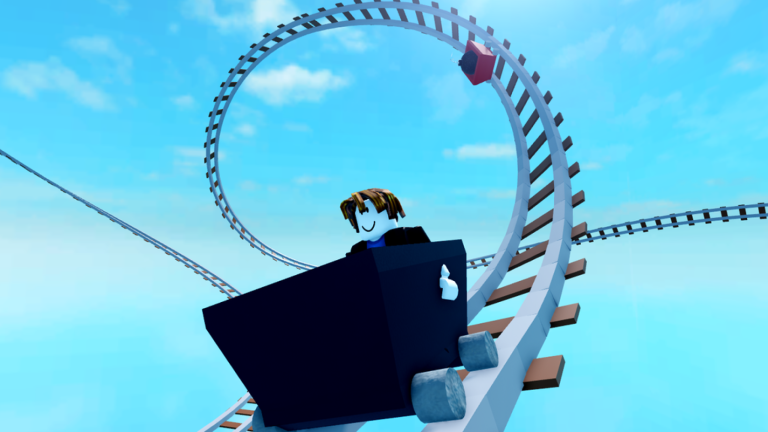
Camera parts let Create a Cart Ride creators stage cutscenes without leaving the experience. Use them after the track is completable—presentation cannot rescue unfair physics. Watch the embedded tutorial, then follow the placement checklist below. Pair this page with how to build and meshes on mobile.
When to add cameras
Add cameras when:
- The ride clears consistently for small and large carts
- Checkpoints are fair
- You want an intro, mid-ride reveal, or victory flourish
Skip cameras if riders still softlock. Fix rails first.
Placement workflow
- Enter creator tools and locate camera part options in your build inventory.
- Place a camera with a clear subject: station, first drop, loop apex, or finale plaza.
- Aim the shot so the interesting geometry fills the frame without HUD collision.
- Sequence multiple cameras if you want a multi-beat trailer.
- Ride the course to confirm cameras trigger at intended moments.
- Adjust timing so shots do not fight player control during precision sections.
Storytelling ideas that work
- Arrival shot: Establish the station and cart personality.
- Threat preview: Briefly show a hammer alley before the cart arrives.
- Loop hero shot: Capture the inversion from outside.
- Landing celebration: End on scenery or a branded sign.
Keep shots short. Players came to ride, not watch a movie.
Technical tips
- Avoid placing cameras inside solid meshes.
- Test on PC freecam (Shift+P for creators) to inspect framing—see controls.
- On mobile, verify performance after adding animated props (meshes on mobile.
- Do not spam cameras every five studs; fatigue sets in quickly.
Playtesting cutscenes with friends
Ask testers whether cameras clarified the ride or stole control at a bad time. If players miss a jump because a cutscene ate their reaction window, shorten or move the shot. Share drafts through channels listed on official links.
Cameras and likes
Cinematic rides can earn more likes, which feeds certain unlocks in unlock carts. Still prioritise fairness—trailers that lie about difficulty backfire.
Related creator toolkit
- How to build
- Meshes on mobile
- Friday updates for new props
- Guides Hub
Treat camera parts as seasoning. The meal is still a ride that feels great under the wheels.
Audio and camera timing
If your ride includes music or voiced jokes, align camera beats with audio peaks carefully. A cutscene that mutes important hazard audio can raise death counts. Preview the full run with sound on and off before publishing, and keep action shots away from one-stud precision jumps whenever possible.
Expanded session notes
One excellent hero shot beats six mediocre cameras fighting the player for control.
Depth checklist
For guides/camera-parts, confirm you have: redeemed current codes where relevant, chosen a cart that matches the task, practiced recovery binds, and recorded progress on the unlock checklist. Then open one related hub—guides, tier list, tools, updates, scripts, or links—and complete a single concrete action before you queue another random world. Create a Cart Ride rewards players who chain small intentional steps more than players who tab-hop endlessly.
One excellent hero shot beats six mediocre cameras fighting the player for control. Additional detail: write one sentence about what failed last run and one sentence about what you will change next run. That tiny journal turns repeated wipeouts into data instead of frustration, whether you are redeeming, building, grinding Friday carts, or researching scripts safely.
Frequently Asked Questions
Quick answers to the most common questions.
Do I need camera parts to publish?
No. They are optional presentation tools. Ship a completable ride first.
Can cutscenes make a ride harder?
Yes, if they steal attention during precision sections. Keep action shots brief or place them in safe zones.
Where can I see camera parts demonstrated?
Watch the embedded YouTube tutorial on this page, then recreate the placement steps on a short test track.