How to Play Create a Cart Ride
A practical first-session plan for riding community tracks and understanding the sandbox loop.
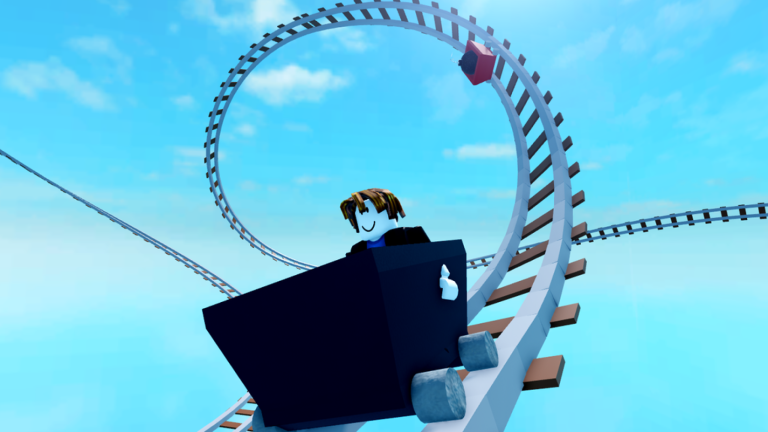
Create a Cart Ride is a Roblox sandbox where you ride community-built rail courses and unlock themed carts. This guide gets you from the Roblox search bar to a confident first hour without wasting time on dead ends. Keep controls and active codes nearby.
Join the experience
- Open Roblox on PC, console, or mobile.
- Search for Create a Cart Ride! by Just For Fun™.
- Press Play and wait for the server to stream.
- Watch for the Shop and carts UI on the lower left once the HUD appears.
If servers feel empty, rejoin later—population fluctuates. The game remains fully released and updated most Fridays.
Understand the core loop
You will rotate between three activities:
- Ride other creators’ tracks to unlock weekly carts and enjoy chaos.
- Build your own ride with editor tools, then publish for likes.
- Collect carts via codes, playtime, likes, and Friday challenge clears.
That loop is why the wiki also links how to build, unlock carts, and friday updates.
First thirty minutes
- Redeem every working string on the active codes page using how to redeem.
- Equip a compact cart—giant trains look cool but clip obstacles. See best grind carts.
- Ride two short community tracks to learn checkpoints and hazards.
- Practice F for first person, Ctrl+R to reset, and V to unstuck (controls).
- Open the unlock checklist and mark what you already own.
Hazards you will meet early
Community tracks love hammers, falling trees, bomb chases, blind corners, and fake checkpoints. Slow down when scenery densifies. If you die repeatedly on the same prop, switch to a smaller cart before rage-quitting. Update notes on friday updates sometimes preview especially nasty weekly courses.
Social servers and etiquette
Players standing on rails can block you. Use free camera only if you are a creator with Shift+P access. Do not grief builders’ test runs. If you publish, playtest your own ride before asking for likes—see building discipline in how to build.
Progress after the tutorial hour
- Push playtime toward early material carts listed in unlock carts.
- Browse the cart tier list once you own options.
- Skim scripts only for awareness; prefer legitimate unlocks.
- Join Discord via official links for code drops.
Session template for busy players
- Check codes (5 minutes).
- Attempt current Friday unlock carts (20–40 minutes).
- Build or polish one section of your ride (20 minutes).
- Log checklist progress (2 minutes).
Consistency beats weekend marathons. Create a Cart Ride has been live since 2022 with hundreds of millions of visits—there is always another Friday set coming.
Next guides
Continue with controls, then unlock carts, then either how to build or camera parts if you create. Return to the Guides Hub whenever you need the full map.
Reading community worlds quickly
Before you throttle hard, look for checkpoint frequency, visible kill parts, and whether the creator expects a tiny cart. If the station displays a giant locomotive, try a smaller body anyway for the obstacle section. Many unlock worlds are designed around compact hitboxes even when the showcase train looks tempting. Scout once at medium speed, then commit to a clean attempt with recovery binds ready.
Expanded session notes
End your first week by teaching one friend the F, Ctrl+R, and V binds—you will remember them better yourself.
Frequently Asked Questions
Quick answers to the most common questions.
Is Create a Cart Ride free to play?
Yes. Optional game passes such as Free Unstuck exist, but the core ride-and-build loop is free on Roblox.
What should I do first?
Redeem active codes, learn F/Ctrl+R/V controls, then complete a short community track before grinding Friday unlocks.
Does the game support multiplayer?
Yes. You share servers with other riders and creators online while exploring user-made worlds.