Create a Cart Ride Controls
Master F, Ctrl+R, V, and creator freecam so wipeouts become quick recoveries instead of rage quits.
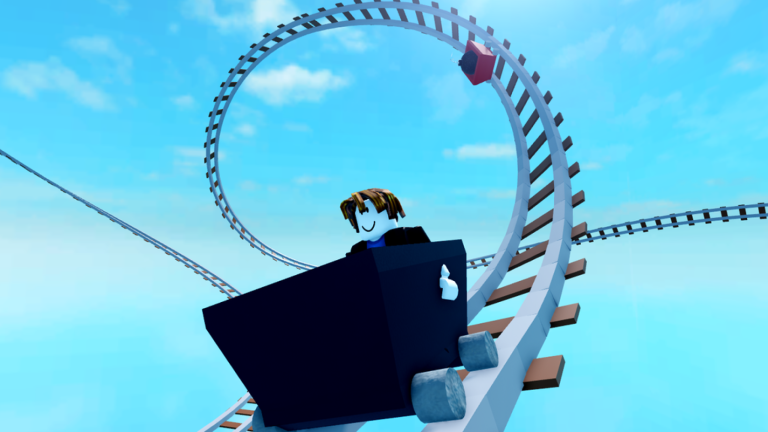
Controls look simple on the Roblox game description, yet most wipeouts become disasters because players forget recovery keys mid-panic. This guide expands each bind, explains game-pass nuance for unstuck, and links a printable-style controls cheatsheet.
Primary keybinds (PC)
| Input | Action | When to use |
|---|---|---|
| F | First-person / FPV mode | Tight tunnels, precise hammer timing |
| Ctrl+R | Reset | Softlocks, wrong checkpoint mental state |
| V | Unstuck / respawn on track | Cart wedged, flipped, or buried in scenery |
| Shift+P | Freecam (creators, PC only) | Inspect builds, align camera parts |
Movement still uses standard Roblox locomotion when you are on foot. Cart throttle follows the vehicle seat or on-screen controls depending on device.
Unstuck details
V is a lifesaver on Friday gauntlets. Some unstuck usage is limited unless you own the Free Unstuck & Respawn Cart Forever pass. If you are grinding hard, that pass removes friction—but it is optional. Learn not to spam V+F together; players often toggle first person accidentally while mashing recovery.
Camera discipline
FPV helps in foliage-heavy tracks where third person hides hammers. Third person helps on wide scenic routes. Switch intentionally instead of leaving F toggled forever. Creators should use freecam to find overlapping kill parts before publishing—see how to build.
Mobile and console notes
Touch players rely more on on-screen buttons. Keep thumbs clear of accidental HUD presses when a chase sequence starts. If meshes or camera parts stutter on mobile, read meshes on mobile. Console players should map recovery actions somewhere reachable before attempting weekly unlock worlds.
Recovery flowchart
- Cart stuck but upright → try gentle throttle first.
- Cart flipped or clipped → press V (if available).
- Character state corrupted → Ctrl+R reset.
- Camera weird after freecam → toggle F or rejoin.
- Still broken → rejoin server; check friday updates for known issues.
Practice drills
- Ride a short track only in FPV.
- Intentionally wedge yourself and recover with V.
- Build a tiny loop and inspect it in freecam.
- Complete one Friday cart without rage quitting after the first hammer.
Pair controls with progression
Knowing binds multiplies the value of best grind carts and unlock carts. Codes still help—claim them via active codes—but controls decide whether you finish the world those carts hide in.
Related pages
Memorise the four PC binds and Create a Cart Ride stops feeling unfair overnight.
Teaching controls in under two minutes
When a friend joins, have them press F once, Ctrl+R once, and V once in a safe station before any unlock world. That micro-tutorial prevents the classic failure where someone mashes everything, enters FPV forever, and blames the track. Add the cheatsheet on a phone browser for the first Friday they grind with you.
Expanded session notes
Practice recovery on a easy public ride before you bring bad habits into the newest Friday gauntlet.
Depth checklist
For guides/controls, confirm you have: redeemed current codes where relevant, chosen a cart that matches the task, practiced recovery binds, and recorded progress on the unlock checklist. Then open one related hub—guides, tier list, tools, updates, scripts, or links—and complete a single concrete action before you queue another random world. Create a Cart Ride rewards players who chain small intentional steps more than players who tab-hop endlessly.
Practice recovery on a easy public ride before you bring bad habits into the newest Friday gauntlet. Additional detail: write one sentence about what failed last run and one sentence about what you will change next run. That tiny journal turns repeated wipeouts into data instead of frustration, whether you are redeeming, building, grinding Friday carts, or researching scripts safely.
Frequently Asked Questions
Quick answers to the most common questions.
What does V do in Create a Cart Ride?
V attempts to unstuck or respawn your cart on the track. Availability can depend on game-pass limits.
Who can use Shift+P freecam?
Freecam is intended for creators on PC. Riders should not expect it during normal play.
Why do I keep entering first person when unsticking?
F and V sit close in muscle memory. Pause before mashing keys, or rebind your hand position so thumbs do not glance F.