Create a Cart Ride Controls Cheatsheet
Glanceable Create a Cart Ride keybinds and recovery tips for PC, with mobile reminders.
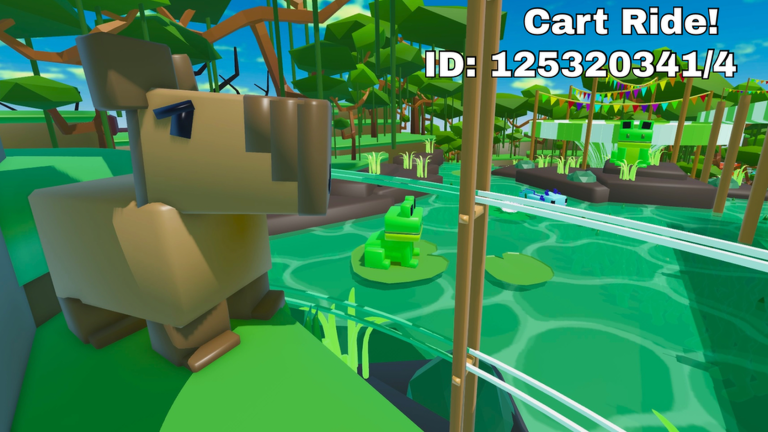
Print this mental model or keep the tab open while you grind. Full explanations live in the controls guide; this cheatsheet is the short form.
PC binds at a glance
- F — First-person / FPV
- Ctrl+R — Reset character/state
- V — Unstuck / respawn cart on track (may be limited without the free unstuck pass)
- Shift+P — Freecam for creators on PC only
Recovery micro-script
- Throttle gently if slightly stuck.
- Press V if flipped or clipped.
- Press Ctrl+R if character state is weird.
- Toggle F if camera perspective is wrong.
- Rejoin if the server desyncs.
When to use FPV
- Dense trees
- Hammer corridors
- Dark tunnels
- Any time third person hides the next threat
When to stay in third person
- Wide scenic valleys
- Learning a brand-new layout’s overall shape
- Filming with camera parts considerations
Mobile reminders
- Learn where on-screen unstuck/reset equivalents sit before hard tracks
- Keep thumbs from brushing unintended UI during chases
- Watch heat when meshes spike—see meshes on mobile
Grind-day setup
- Redeem active codes
- Equip compact cart (best grind carts)
- Open unlock checklist
- Skim friday updates
- Keep this cheatsheet visible
Teaching a friend
Send them how to play plus this page. Spectate one short ride together and call out when they should hit V instead of mashing movement.
Related pages
Four binds. Infinite retries saved.
Party play reminder
In busy servers, other players can block rails. Unstuck helps, but so does waiting one beat before assuming the game softlocked you. Combine patience with the binds on this sheet and you will waste fewer retries on social congestion. If a friend is learning, narrate which key you would press instead of taking control of their cart.
Expanded session notes
Glance at V and Ctrl+R before every bomb-chase world; anticipation beats panic mashing.
Depth checklist
For tools/controls-cheatsheet, confirm you have: redeemed current codes where relevant, chosen a cart that matches the task, practiced recovery binds, and recorded progress on the unlock checklist. Then open one related hub—guides, tier list, tools, updates, scripts, or links—and complete a single concrete action before you queue another random world. Create a Cart Ride rewards players who chain small intentional steps more than players who tab-hop endlessly.
Glance at V and Ctrl+R before every bomb-chase world; anticipation beats panic mashing. Additional detail: write one sentence about what failed last run and one sentence about what you will change next run. That tiny journal turns repeated wipeouts into data instead of frustration, whether you are redeeming, building, grinding Friday carts, or researching scripts safely.
Desk setup suggestions
Place this cheatsheet on a vertical phone stand beside your monitor. Glance left when a chase starts instead of opening the Escape menu mid-rail. If you play on a laptop trackpad, consider a cheap keyboard for Ctrl+R reliability—chord resets are harder on cramped keyboards when panic sets in. Streamers can pin the binds as a brief on-screen note for chat without claiming they are official Roblox documentation.
After-death routine
Die once, breathe, read the binds, change one variable (cart size, FPV toggle, or approach speed), then retry. The cheatsheet exists to interrupt tilt loops where players mash every key and create new problems. Pair it with the unlock checklist so a death still advances a meta goal: you at least learn which cart fails that hazard type.
Frequently Asked Questions
Quick answers to the most common questions.
Is this different from the controls guide?
Yes. The guide is deep; this cheatsheet is the short reference for live sessions.
Does V always work?
Unstuck may be limited unless you own the free unstuck game pass. Check in-game entitlements.
Can riders use freecam?
Shift+P freecam is for creators on PC, not a general rider tool.